Start with one decision
Decide what you want to explore first: a shorter length, a different outline, bangs or more visible texture. Keep your current color while comparing cuts so the color change does not distract from the shape.
Choose two or three distinct directions rather than many nearly identical options. A bob, a layered cut and a pixie give you a more useful first comparison than small changes to the same bob.
Compare the outline and the sides
A blunt bob creates a defined lower edge; layers vary the lengths; a shag or wolf cut uses a more visibly layered crown and ends. For shorter cuts, compare a close buzz or crew cut with a textured crop or a taller quiff.
Look at where the hair ends near the jaw, neck and shoulders. On short cuts, compare the height on top and how closely the sides are tapered. These observations describe a look; they do not determine what your face shape should wear.
Separate texture from styling
Straight hair, waves, curls and tight coils describe texture. Braids, twists and locs describe different ways hair is arranged or worn. Choose the term that matches the appearance you want to explore, without assuming a template model has the same hair as you.
- For bangs, compare a center-opening curtain fringe, light wispy pieces and a fuller blunt fringe.
- For curls or coils, describe the visible curl size and the amount of volume.
- For braids, twists or locs, specify thickness, length and parting.
Write a specific, editable description
Name the cut, length, texture and parting. Add what should stay the same. For example: “Create a chin-length blunt bob with a center part and no bangs. Keep my current hair color. Preserve the original facial features as closely as possible.”
A template gives you a starting description, and a separate reference image can communicate an outline. Review either choice before generating; the reference is inspiration, not a promise of an exact copy.
Inspect more than the first impression
Compare the preview with the same original photo. Check the hairline, ears, fringe, sides and ends, then notice any unintended facial changes. Try changing only one detail in your next description, such as “less volume at the crown” or “longer curtain bangs.”
You can compare the available results and save or download a favorite. Generation requires sign-in. One credit is used when at least one result is ready. If all results fail, the credit is returned so you can retry.
Compare a bob on the same portrait
This styling example was generated directly with an AI image model from a sample portrait and a chin-length bob description.
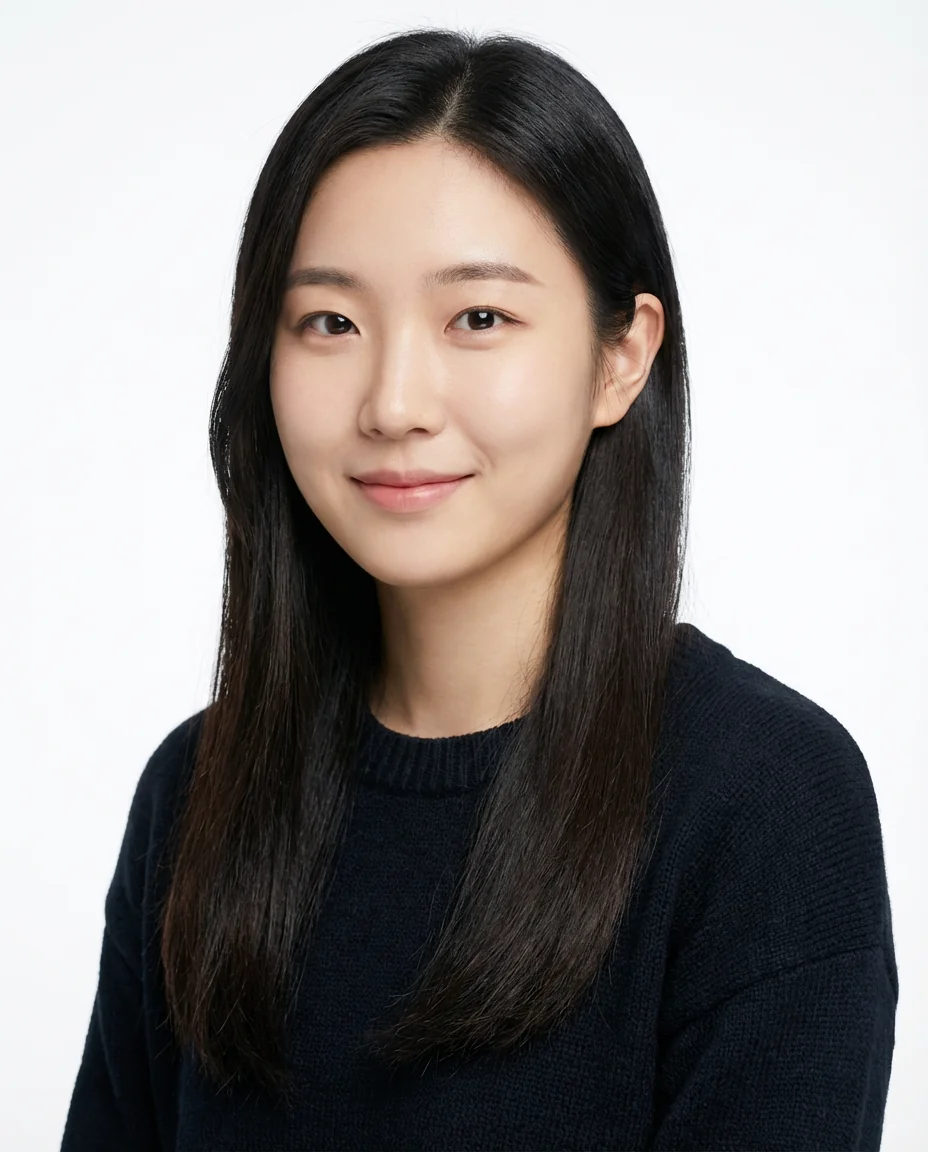
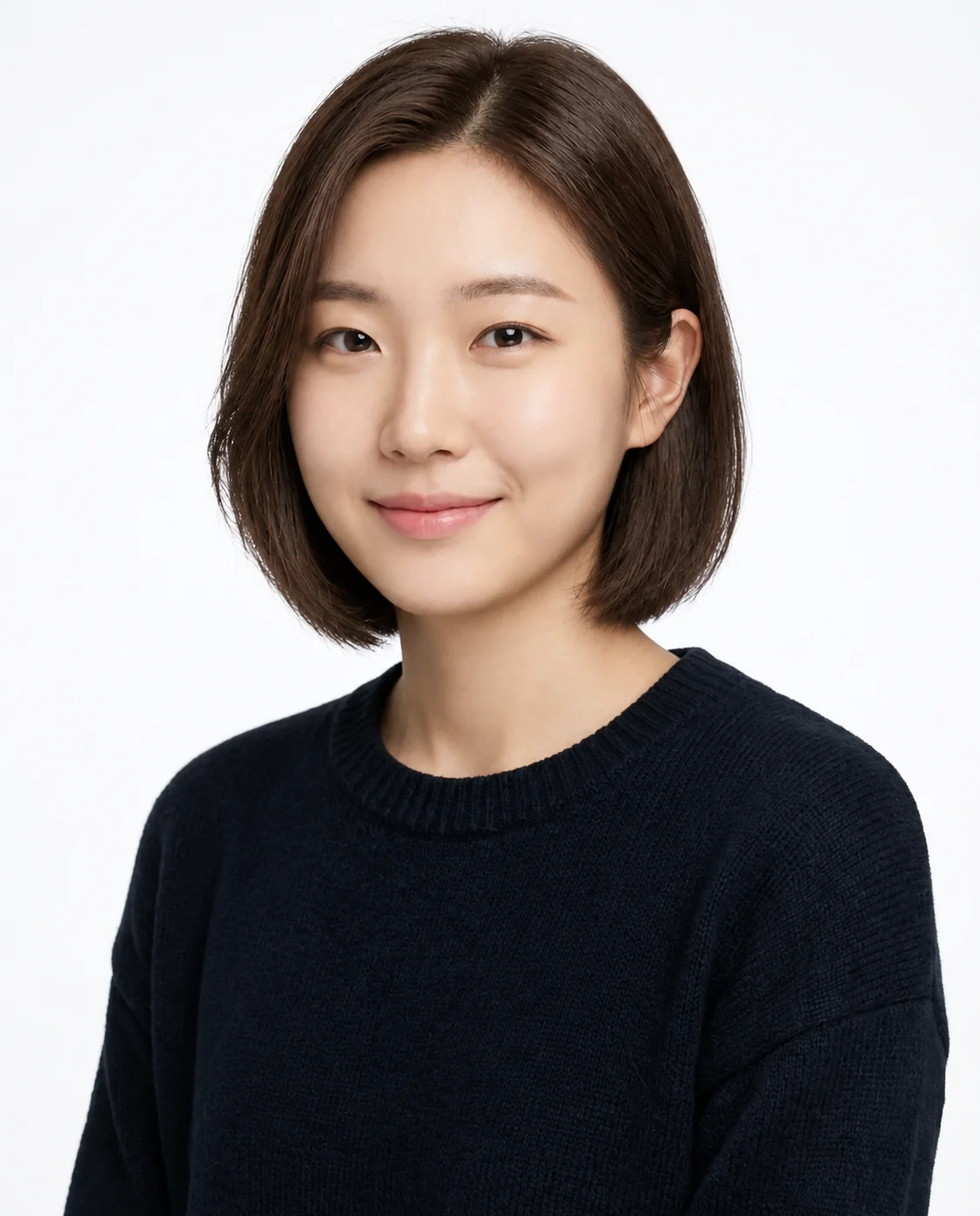
Compare the hair length and parting, then check the face and ears for unintended changes. AI results vary and do not guarantee a real haircut.
Explore bob haircutsBring a useful note to your appointment
Save the preview with a short note about what you like: the length, parting, side taper or amount of texture. Also note what you would change. Ask your hairstylist how the idea relates to your actual hair density, growth pattern and daily routine.
AI does not measure face shape or guarantee a practical cut. The preview helps communicate a direction; your real hair and the discussion at the appointment determine how that direction can be adapted.
AI hairstyle try-on questions
Does the tool choose the best haircut for my face shape?
No. Use it to compare ideas visually. It does not measure face shape or give an objective verdict on what suits you.
Can I explore a template shown on someone different from me?
Yes. Use the hairstyle description as inspiration and apply it to your own photo. Check the result carefully because hair and facial details may change.